Local at the coreYour everyday records stay on the clinic computer.
Local-first clinic management
A clearer clinic.A calmer day.
Clinikore puts the schedule, patient history, clinical notes, prescriptions, billing, and follow-ups into one focused Windows workspace.
v0.4.19Latest stable
7, 10 & 11Windows ready
OfflineCore workflows
PatientsAppointmentsConsultationsPrescriptionsBillingReminders
Useful offlinePatient care does not stop when the internet does.
Purposeful sharingOnline actions receive only what they actually need.
Inside Clinikore
The clinic day,
without the clutter.
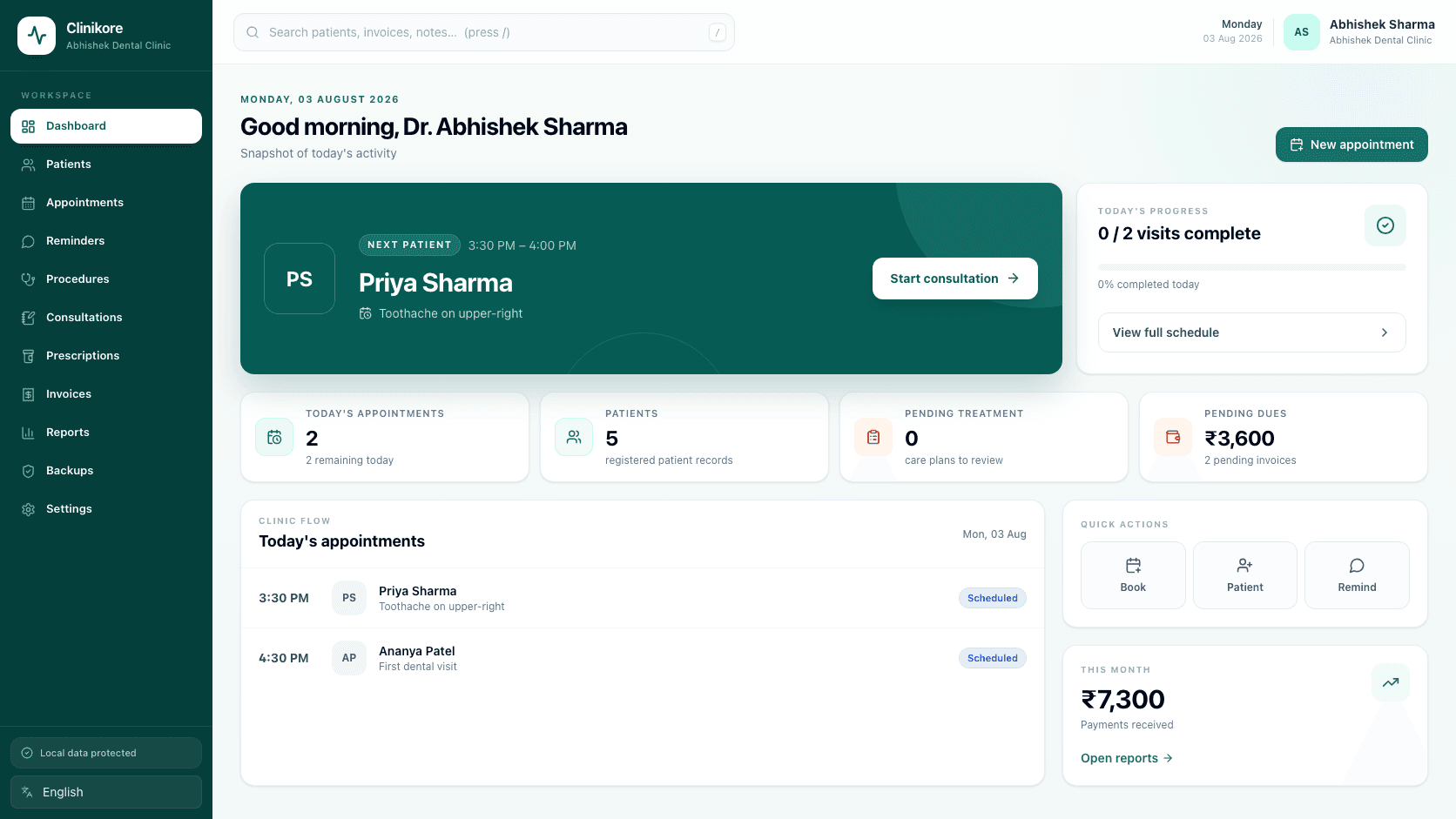
The workspace is designed around what needs attention now. The next patient, unfinished care, pending dues, and useful actions remain visible without turning the day into a wall of data.
Start with what matters now.The next patient and next action remain obvious.
From overview to patient context in one move.
Search and quick actions are always close, while the interface keeps clinical detail out of the way until it is needed.
1connected record0cloud dependency
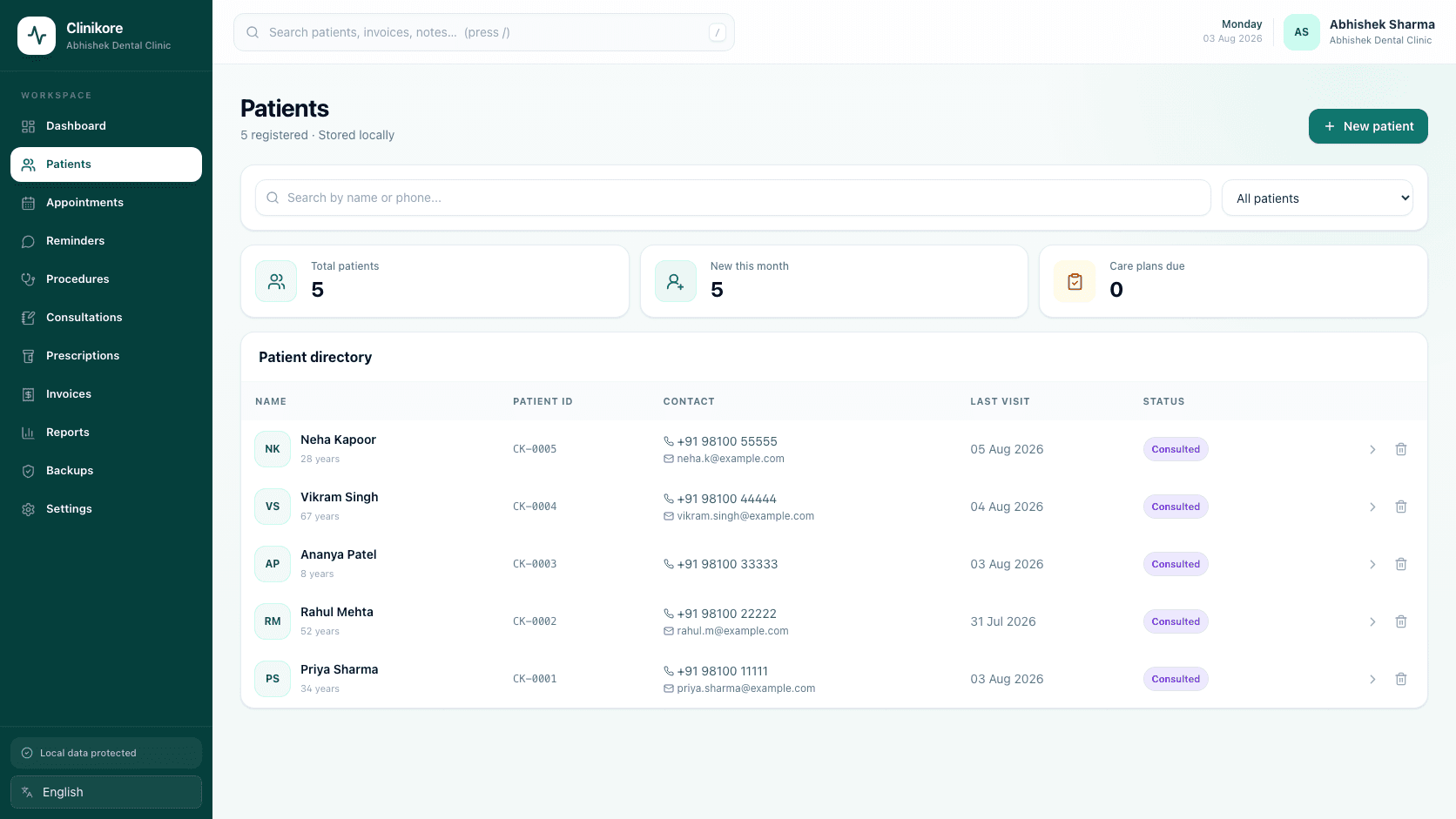
Every patient, easy to find.Contact, history, status, and pending care in one place.
02 / A DOCUMENT READY FOR THE PATIENTWrite the care.
Write the care.
Clinikore shapes the document.
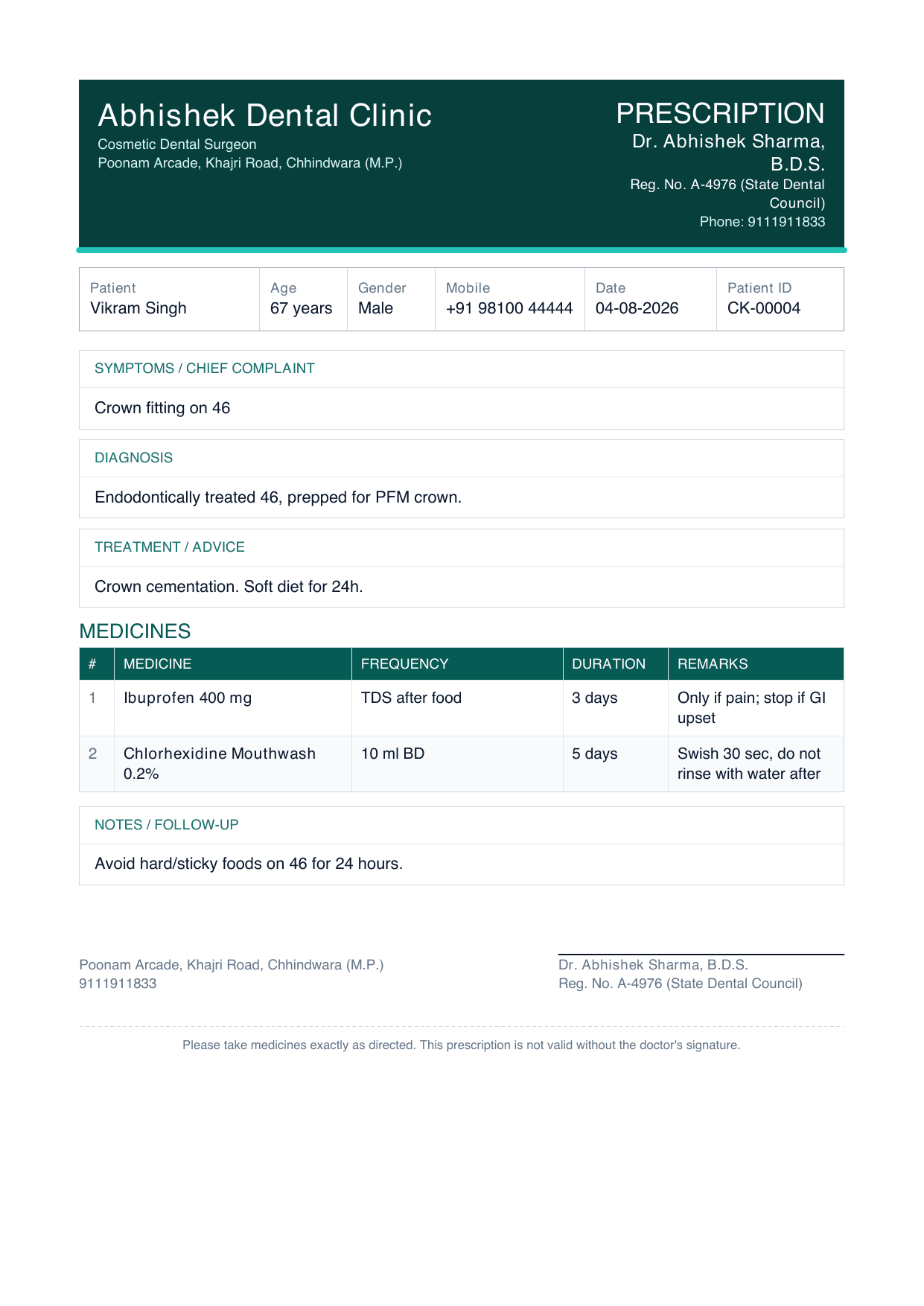
Patient details, diagnosis, medicines, instructions, clinic identity, and doctor registration flow into a clean printable prescription while you work.
- Live preview as the consultation develops
- Frequency, duration, remarks, and advice
- Print, PDF, and focused share actions
PDF ready
Ready to share
One connected system
Six parts of the day.
One clinical rhythm.
Each capability is useful alone. Together, they remove the gaps where details get lost and work gets repeated.
01
One patient story
Demographics, history, attachments, consultations, prescriptions, and payments stay connected to one clear record.
Patient records02
A day that stays on track
See who is next, avoid scheduling conflicts, and move from booking into care without losing the thread.
Appointments03
Care, captured clearly
Record notes and treatments, then create a polished prescription ready to print, save, or share.
Clinical workflow04
Money without mystery
Create invoices, record payments, and understand what is paid or pending from the same clinical context.
Billing05
Follow-ups that feel human
Prepare clear WhatsApp reminders with only the details a patient needs for the appointment ahead.
Reminders06
Your records, your control
Create and restore local backups so your clinic—not a browser tab—remains in charge of its data.
Local backups A natural workflow
One patient journey.
Four clear moments.
Clinikore follows the way a clinic already works instead of asking the team to adapt to disconnected software.
Get the latest version- 01BookSchedule the visit and keep the day conflict-free.
- 02ConsultOpen the patient context and capture the clinical decision.
- 03BillCreate the invoice while the visit is still in context.
- 04RecallBring patients back with a timely, useful reminder.
Privacy by architecture
The clinic's computer stays at the center.
Core records live locally. Optional integrations receive only the information required for the action you choose.
Local patient databaseEveryday clinical work remains available without internet access.
Backups under your controlCreate a restorable copy and choose where it is kept.
Minimal reminder payloadsOnly the patient name, appointment, doctor, and phone number are used.
Clinic datastored locally
BackupYou choose where
ReminderOnly what is needed
OfflineCore work continues
Latest release
Bring calm to
the next clinic day.
Stable releasev0.4.19Windows installer
Enter your invite code, then choose the installer that matches your Windows computer. Most clinics should use the 64-bit Windows 10/11 build.
Verified installersEvery release includes a SHA-256 checksum.
Invite-only accessCodes can expire or be revoked by Clinikore.
Before you install
A few practical details.
Clinikore is a Windows desktop application designed for the everyday workflow of an independent clinic.
Which installer should I choose?
Choose Windows 10/11 64-bit for most modern computers. Use a 32-bit build only when Windows System Information identifies your system as x86-based.
Will updating remove my clinic data?
The installer updates the application rather than intentionally removing records. Create a fresh backup before any software update as a safe operating practice.
Does Clinikore need the internet?
Core patient, appointment, consultation, prescription, and billing workflows are local. Internet access is only needed for optional online actions such as WhatsApp reminders and updates.
How is clinic data shared?
Core records stay on your computer. When you choose an external action, Clinikore sends only the information that action requires—not the entire patient record.
Clinikore for WindowsFewer loose ends.
Download v0.4.19